
Flite TTS GameMaker Prefab
When I first started using GameMaker, I remember reading about the developer of Seiklus using DLLs to play chiptunes in his game.
I was a highschool student at the time and at least 4 years away from touching C for the first time. So I threw the idea in the “too hard” basket and never gave it any further thought.
Now with over 15 years of experience as a software engineer, there’s nothing really stopping me from compiling libraries from source. github.com/hoani/gm-flite-tts is a prefab library I built for GameMaker which provides lightweight local tts.
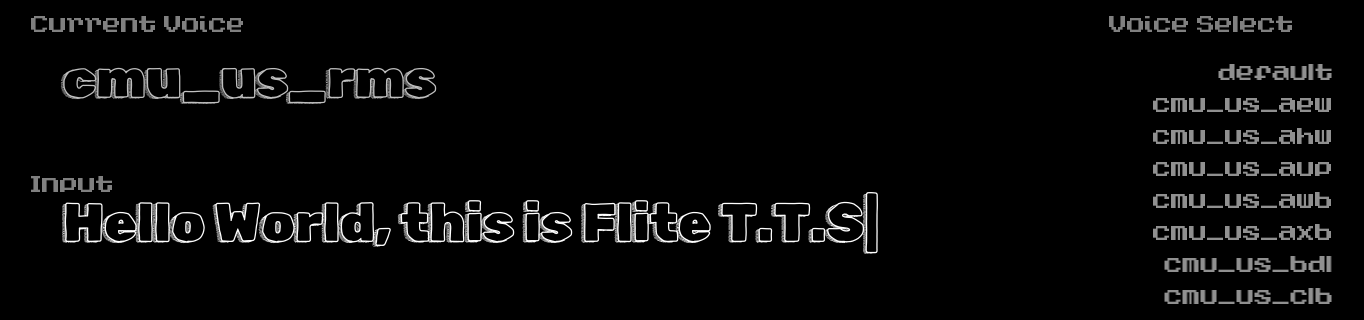
Here is the GameMaker extension in action:
You can experiement with it on itch.io hoaniware.itch.io/flitetts-demo
Selecting Flite
I chose to use flite for several reasons:
- BSD-like license
- this means users of the prefab do not need to open source thier projects
- the requirements of the license is met by having flite’s licence files included in the exported binaries/packages
- Lightweight
- The exported binaries/packages only increase by 3MB
- Additional voices can optionally be added, but it is up to the developper to make that tradeoff
- Local
- The library runs locally, there are no external services required
- Local also means fast, the audio is synthesized as soon as it is requested
I considered a few other Text-to-Speech libraries such as espeak-ng, but preferred flite for it’s licensing.
There are certainly some great sounding tts tools out there, but I prioritized lightweight and performant.
Building
To put together a prefab for GameMaker, I had to do the following:
- Build the libraries
- I compiled
fliteonce for each supported target- Windows was cross-compiled in WSL
- Linux was compiled in WSL
- JS was cross-compiled in WSL using emscripten
- I specifically compiled for MacOS on a macbook
- I then wrote some scaffolding code to export the
flitefeatures for dynamic libraries- For Web exports and additional file was needed to:
- instantiate the module
- manage copying voice files
- For Web exports and additional file was needed to:
- I compiled
- Create GameMaker extension
- GameMaker extensions allow us to make platform specific targets
- Each of the four libraries (.dll, .so, .dylib, .js) are exported only on specific platforms
- Create the prefab
One of the nice parts of GameMaker prefabs, is that the user only drags in the source that they want. For example, there are over 100MB of voice files; but if the user only wants the default, none of them will be included thier final game.